
PromptFy Web · Video covers
YouTube thumbnails with local AI and editable text
Create video covers in PromptFy Web with 10 styles, local AI cutouts, draggable titles and multiple highlighted words. Export a JPG without using cover credits.
Start with a video available on this device
Sign in to PromptFy Web, open a project in the video editor, and add a video to the main track. Open Cover in the editor tools. Keep the original video available in this browser: a project synchronized from another computer may need its local media reconnected before frames can be analyzed.
You are designing a separate cover image. Moving the cover title or enabling the cutout does not change the clips, captions or background-removal settings in the edited video.
Choose a style and output format
Pick a style before finding frames, or compare designs afterward. The ten presets change typography, colors and composition; they do not invent a new face, expression or scene.
Choose the dimensions for the image you actually need. The project option follows the current project canvas. A wide thumbnail and a vertical cover need separate framing checks.
- Styles: cinematic editorial, premium minimal, documentary, high contrast and split contrast.
- More styles: tech, podcast, educational, bold typography and natural.
- YouTube: 1280 × 720 pixels, 16:9.
- Reels / Shorts: 1080 × 1920 pixels, 9:16.
- Project format: the current project canvas dimensions.
Find a frame that represents the video
Select Find best frames. PromptFy samples the main video track and scores face size, centering, sharpness and exposure. It offers up to three options separated in time. When the source is static, the options can still look alike.
Review the choices yourself. Prefer an expression that suits the subject and check eyes, mouth and motion blur. A technically sharp frame is not automatically the best introduction to your video.
Move the title, change its size and highlight several words
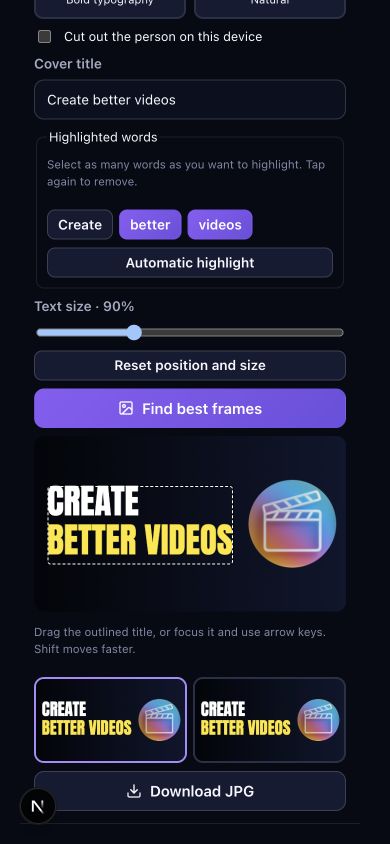
Edit Cover title, then tap any combination of word buttons to highlight them. Tap a selected word again to remove its highlight. Repeated words can be selected independently; Automatic highlight restores the suggested keyword.
Drag the outlined title directly in the preview with a mouse or touch. For precise positioning, focus the outline and use arrow keys; hold Shift for larger steps. Text size runs from 50% to 180%, with fitting limits that keep the text inside the image. Reset position and size restores the automatic layout.
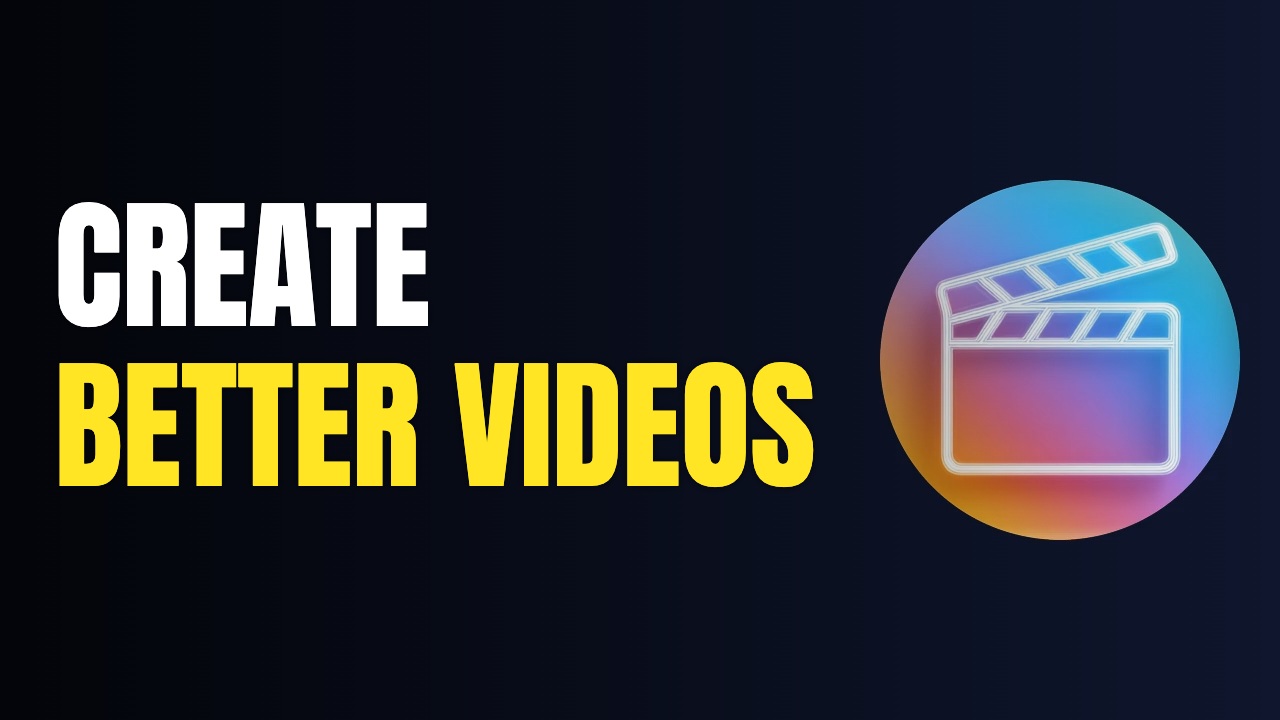
Worked example: use “Create better videos” as the title, select “better” and “videos”, choose High contrast and set text size to 90%. Our demonstration uses the downloadable brand clip below with the person cutout off. Move the title to the left of the PromptFy icon, compare the frame options and download the JPG. The images show this actual workflow, not a generated interface.
What local AI does—and what it costs
Face detection helps find frames. Optional person segmentation separates the subject from the background so the preset can compose the cover around the person. These models run on the device; their runtime and model files download when needed. The first use therefore needs internet access.
This workflow uses local compute and does not deduct subscription credits for the cover. It is not generative image creation: it does not fabricate a studio, relight a face or change an expression. Other PromptFy AI features may have their own credit usage.
Hair, fast motion, lighting and browser support affect the mask. If a usable cutout is unavailable, the tool preserves the original background and displays a notice. Try another frame or turn the cutout off.
Export a JPG and check the destination platform
Download JPG exports the selected frame with the chosen style, title position, size and highlights. Open the downloaded file and inspect it at thumbnail size before publishing. The downloaded cover is a separate image, not an MP4 export or an automatic upload to a social platform.
Use 16:9 for a landscape YouTube thumbnail and 9:16 for a vertical cover. The available upload controls and account requirements belong to the destination platform. YouTube currently documents custom Shorts thumbnails through desktop Studio for verified accounts; check its current instructions if that option is missing.
Frequently asked questions
Does creating a cover use PromptFy credits?
This local cover workflow does not consume PromptFy subscription credits. Frame analysis, the optional cutout and layout rendering run in the browser. Other AI tools have separate usage rules.
Is my video uploaded to generate the cover?
The cover tool processes the frames on your device and does not send them to an image-generation server. Model and runtime files are downloaded when needed. Account and project synchronization are separate app functions.
Can I highlight more than one word?
Yes. Select several word buttons below the title. Each occurrence can be toggled independently, and Automatic highlight restores the suggested keyword.
Can I move and resize the title?
Yes. Drag the title outline, use arrow keys for precise movement and adjust the 50–180% size slider. The title remains bounded by the image, and the JPG uses the same layout controls.
Will it create a new background or a different face?
No. It combines the original video frame, an optional local person mask and preset graphic design. It does not synthesize new scenes or change the person’s identity.
Does downloading a cover also change my video?
No. The output is a separate JPG. Cover controls do not change timeline clips or activate background removal in the edited video.

Try your next workflow in PromptFy Web
Try Starter annual free for 3 days on the web. First subscription only; cancel before the trial ends to avoid a charge.
Organize, trim, edit, and export recorded videosTry free for 3 days